The Foundry

A workshop for writing a whole book.

Elsewhere, a book goes through six pieces of software before it exists: writing it, correcting it, turning it into a real file, using it to be seen, having an address to give out, selling it. Here it goes through none.

And while you write, it remembers the rest — your characters, your places, your threads.

Nothing to installExport everything, any dayNo AI is ever trained on your manuscript
Turn your device: the binder appears on the left.
Chapter 1 · scene 1

The Ninth Bell

The Salt Court had changed since the last tide — a letter with the seal already broken lay half-buried near the steps, and no one moved to clear it.

Sael Marrow stood at Low Solmere, watching gulls wheeling low, unwilling to land.

Draft5 176 wordsSaved

Everything in one place

Write, correct, lay out, be seen, sell — without ever opening a second tool.

Web-native

It just opens. Nothing to install, no export-sync dance, on every one of your devices.

Built for fiction

Chapters, scenes, statuses, a story bible and writing tools — not a blank document.

Built to grow

Tested well past 600,000 words without a hint of slowdown — write the whole saga in one place, not just one novel.

01 · The difference

Write “Malo”. His card opens itself.

You never pin a note, never search, never leave the page. The workshop reads what you write and puts the right cards beside it. Try it: click into the text below and write “Malo”, or “the copper key” — then delete a name and watch its card go.

Chapter 4 · scene 2

The shutter

In this scene2
WrenCharacter

Runs the bakery. Never sits down.

Already written
Chapter 2 · “Wren had the kind of hands that never fully came clean.”

Ferry StreetPlace

Six shopfronts. One of them always empty.

Already written
Chapter 1 · “Ferry Street smelled of rain and warm sugar.”

Everywhere else, you pin your notes by hand — which means leaving the sentence you were writing. That’s the exact moment you decide to note it later, and never do.

02 · What it replaces

Elsewhere, your book changes software six times.

Here it never changes place — and it leaves whenever you want, any day, in every format. All six steps exist today, in the same workshop.

Elsewhere — six subscriptions, six exports

1Write ita word processorWord, Scrivener
2Correct ita proofreaderAntidote, Grammarly
3Turn it into a real filea layout toolVellum, InDesign
4Use it to be seena design toolCanva
5Have an address to give outa website, a linktreeSquarespace, Linktree
6Sell it, get paida storefront, a platformKDP, Gumroad

Here

The Foundry

One account, one address.

  • The workshop, the binder, and the Codex that fills itself while you write
  • A checker of our own, that knows the names in your Codex
  • EPUB, designed PDF, submission format
  • The Poster tab: a sentence from your book becomes an image
  • Your author page, your links, your QR code
  • Direct selling, paid into your own account — 0% commission

Six steps. One single place.

And nothing is held here: everything exports, any day.

Step 4, for real

You have already written what it takes to be seen.

Pick a sentence in your chapter. It becomes an image, ready to post — no design software, and nothing to learn. Nothing on it names us: it’s your book, not our shop window.

Chapter eleven · scene 2

The back door

He put his hand on the doorframe, where the wood still kept the marks of childhood heights. A closed door is never anything but a door. That is what she used to say, in winter, when the wind forced the latch and none of them went to look.

Poster
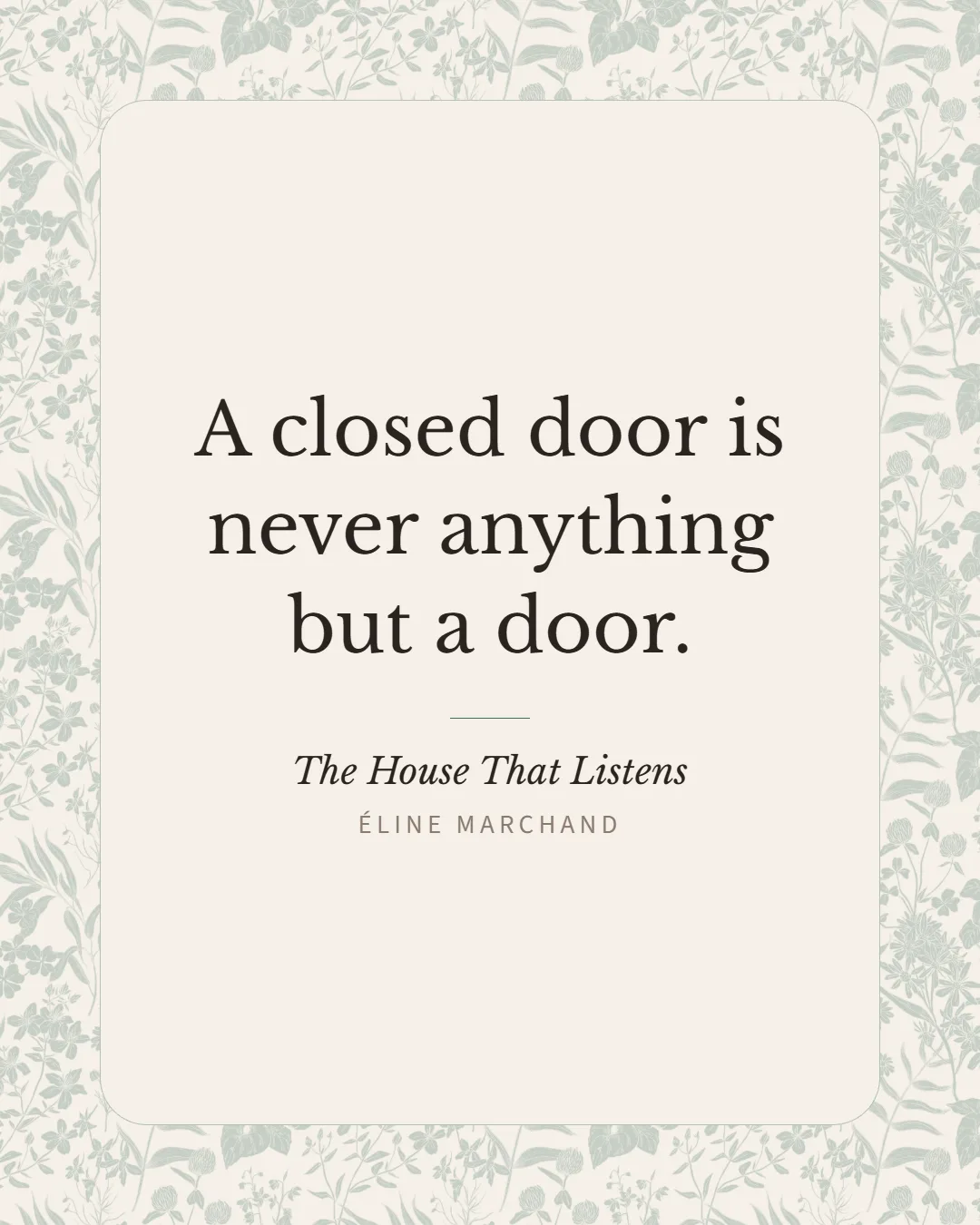
Excerpt poster: “A closed door is never anything but a door.”

03 · Writing

The rest of the book stays within reach.

A chapter reads as one continuous text, and any other scene can sit open beside the one you’re writing. Both are live below — type in them.

Two scenes, no seam — the down arrow crosses over.

1 · The shutter

2 · What the bell knew

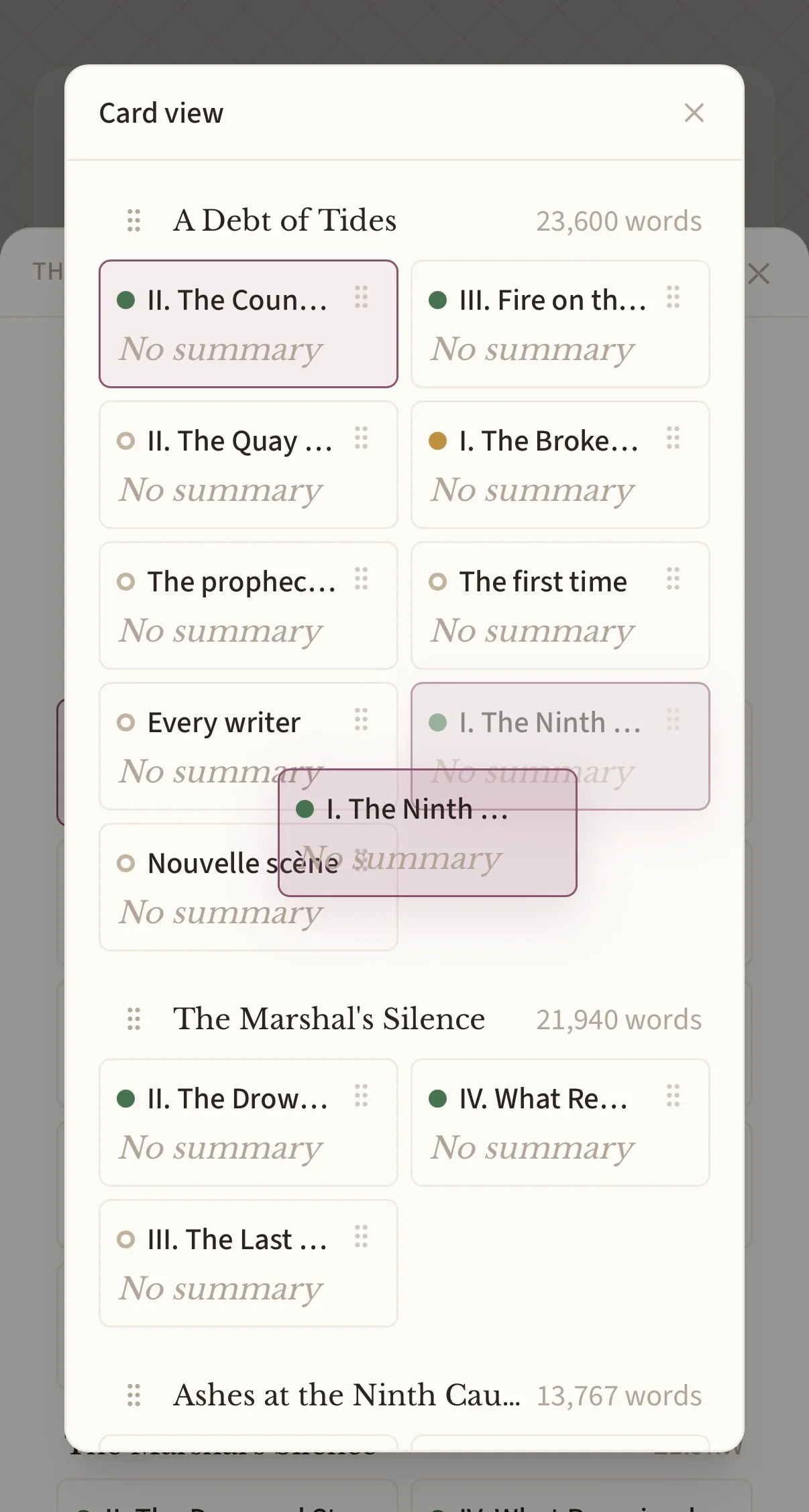
Move a scene, the book follows.

The binder holds your book as a list, as cards, or as a sortable table. Cards move by hand — scene by scene, and from one chapter to another.

Scene 1

The ninth bell

1 240 words

Scene 2

Low Solmere

860 words

Scene 3

The tide-worn ledger

1 512 words

Scene 4

What the Marshal knew

704 words

Grab a card by its handle and drop it on another.

Drag to reorder scenesAutosave as you typeLight Markdown + smart typographyFocus / full-screen modeScene status: Draft · To revise · FinalTypographic rules FR · EN · ESScene templates by tropeFive fonts, your pickVersion history, and versions you keep

And a note, right where you left it.

Sticky Notes float above the whole workshop — eight colours, moved and resized as you like. They stay open across tabs, and a co-author can answer in them.

⋮⋮To check
⋮⋮Idea
⋮⋮Cut
⋮⋮Name
⋮⋮Continuity
⋮⋮For later
⋮⋮Research
⋮⋮Ending

Click one to bring it to the front. Move, write, drag the corner — the dot changes the colour.

Write freely. Everything saves itself as you go.

04 · Momentum

It counts, so you don’t have to.

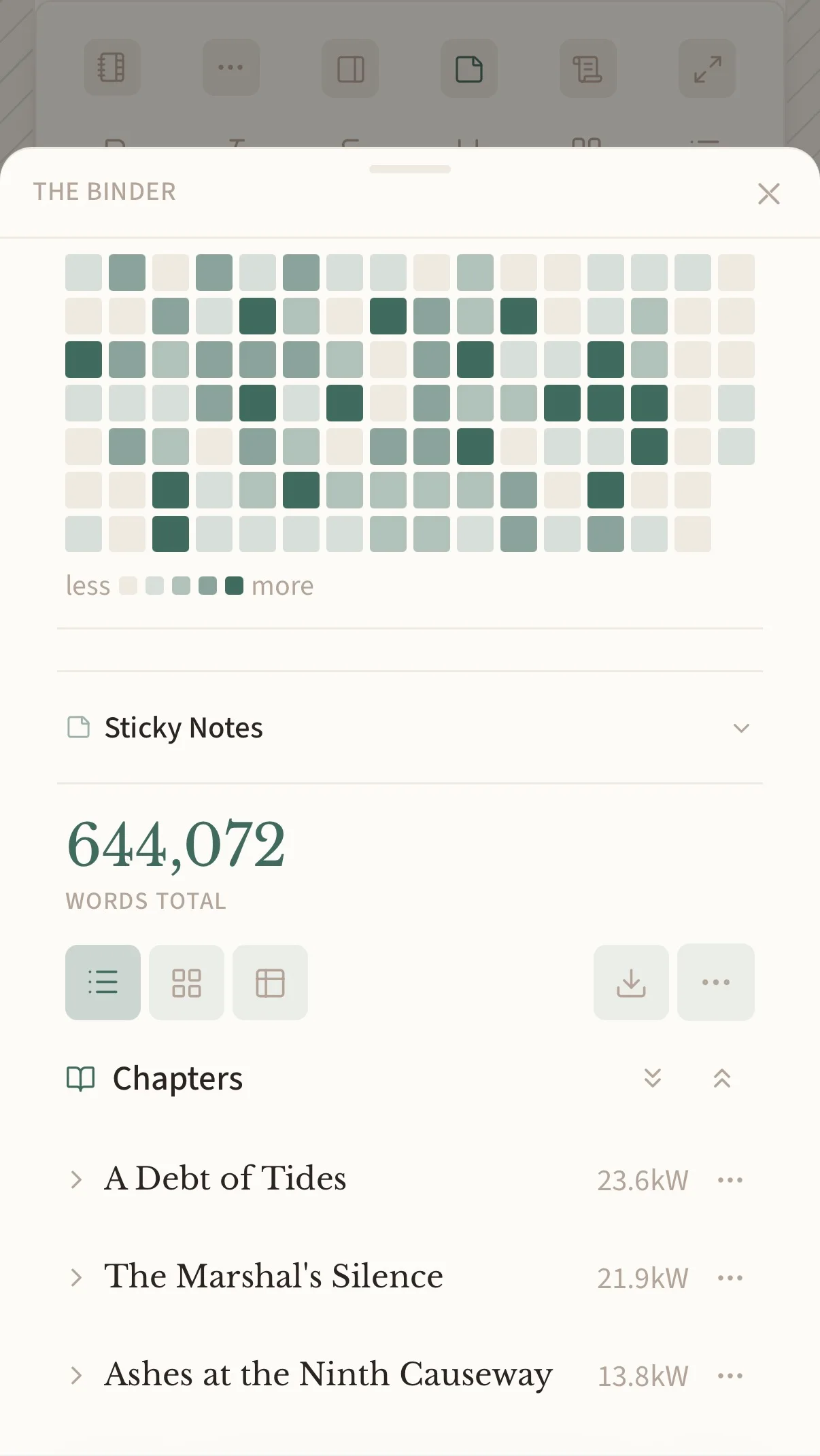
Every save adds up: the day’s words, the calendar of everything you’ve written, and a finish date drawn from your real pace. Write in the page below and watch it move.

The day’s count, worked out at every save — you never type a number.The calendar of every day you wrote, going back months.And a finish date drawn from your real pace, not from a wish.

Chapter 6 · scene 2

What the tide brings back

Today’s goal0 / 1000

Writing days

11

Day streak

1 240

Words / day (7d)

3 902

Best day

14 March

Projected finish

05 · Always with you

Your book,
in your pocket.

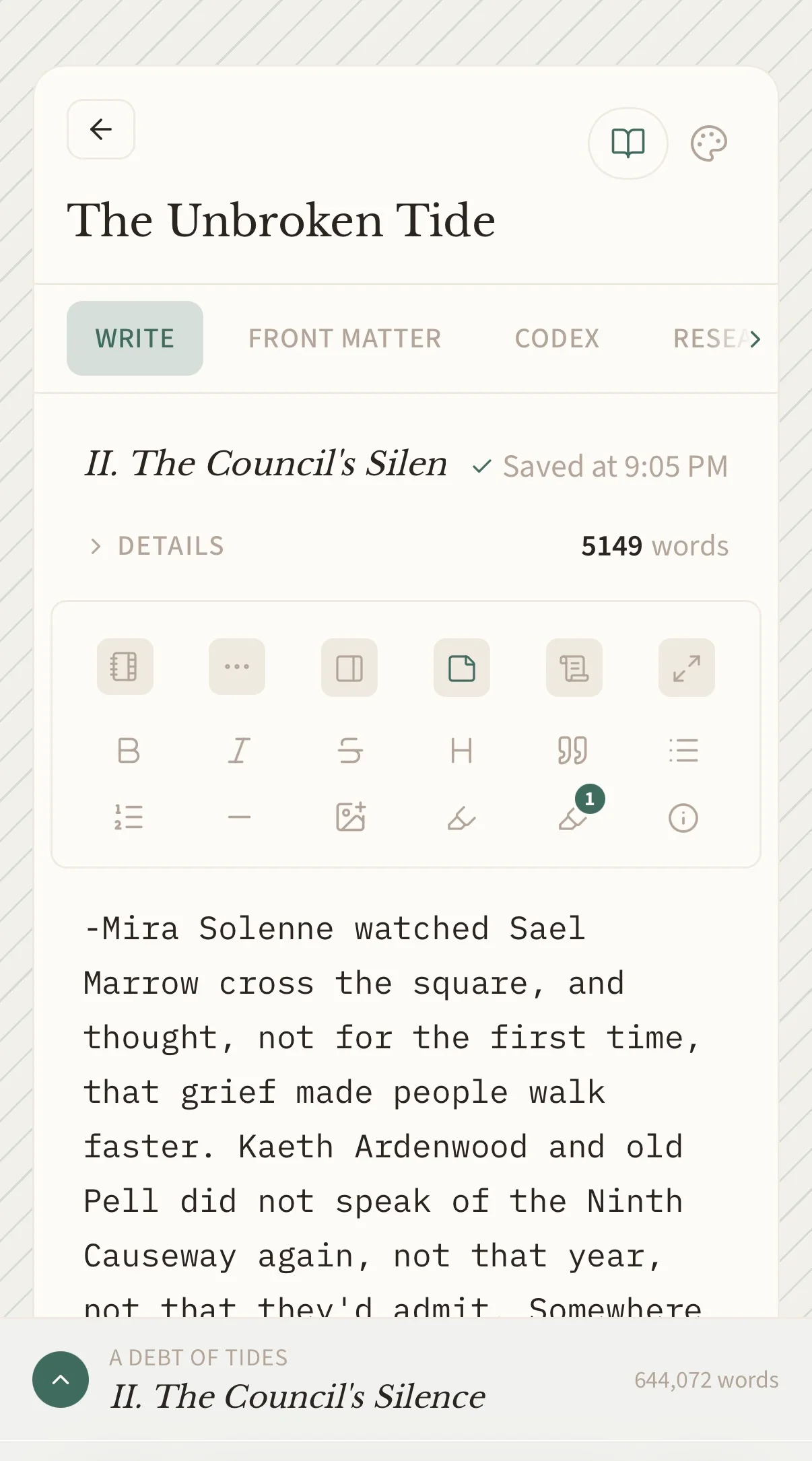
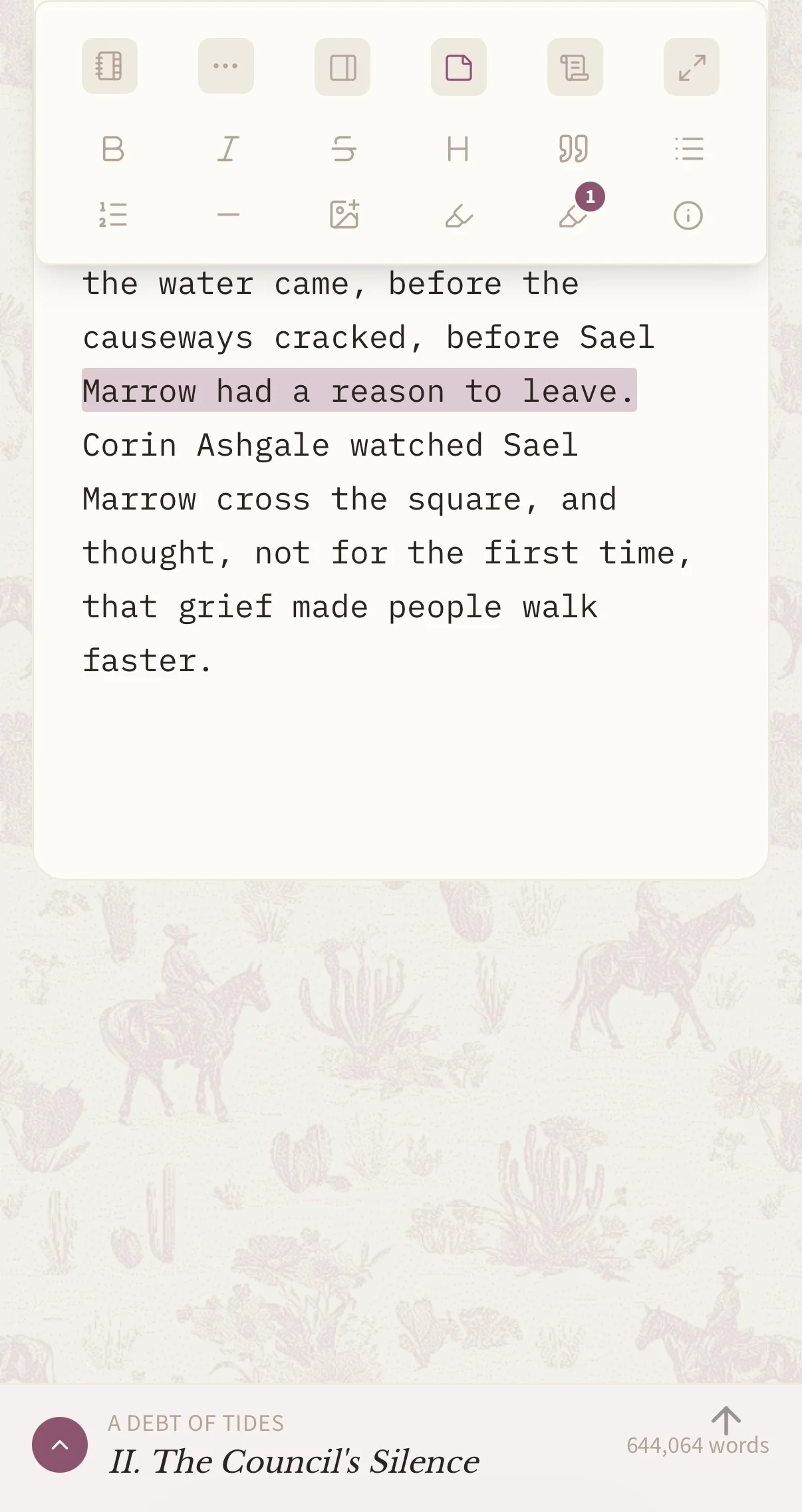
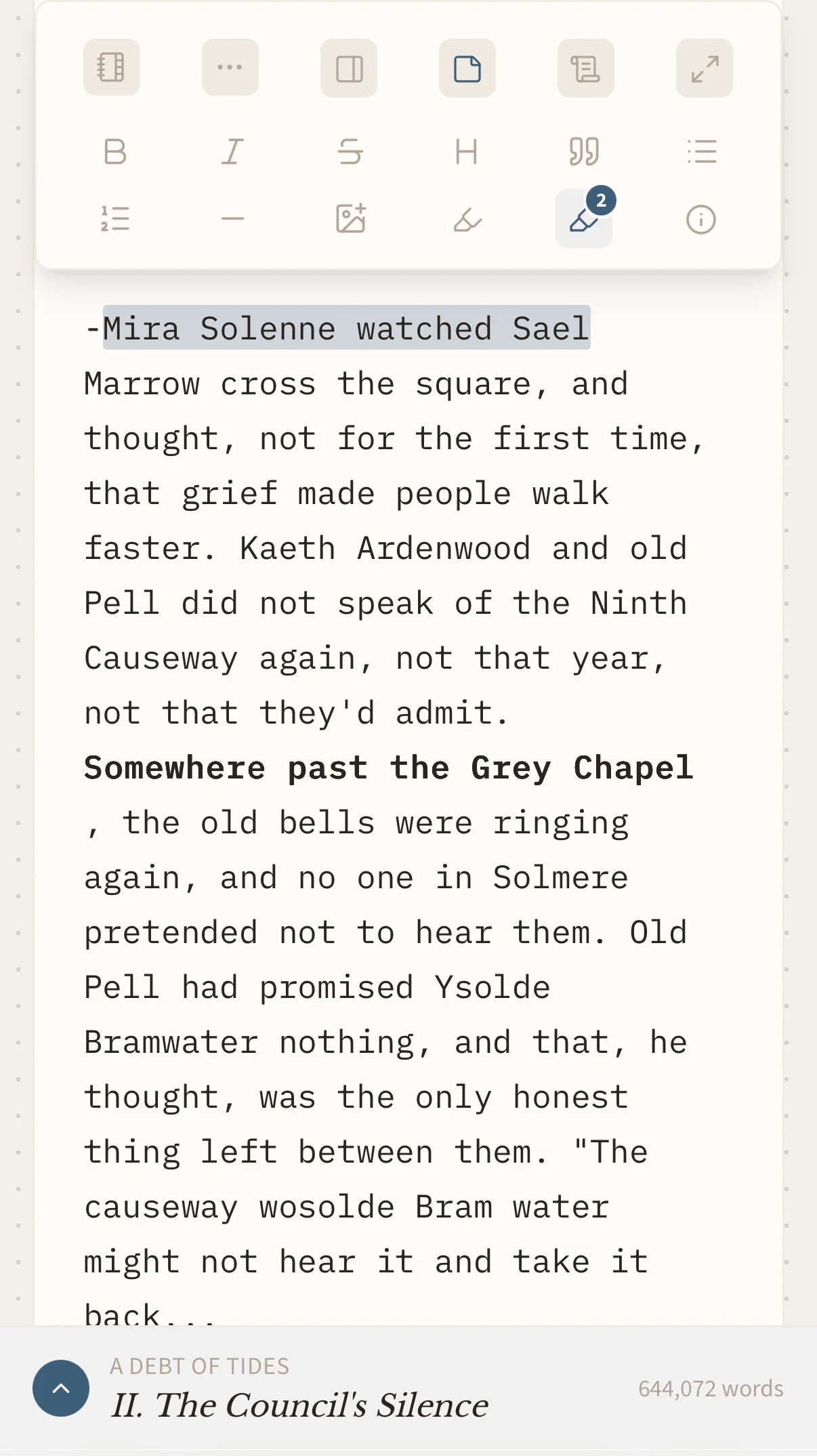
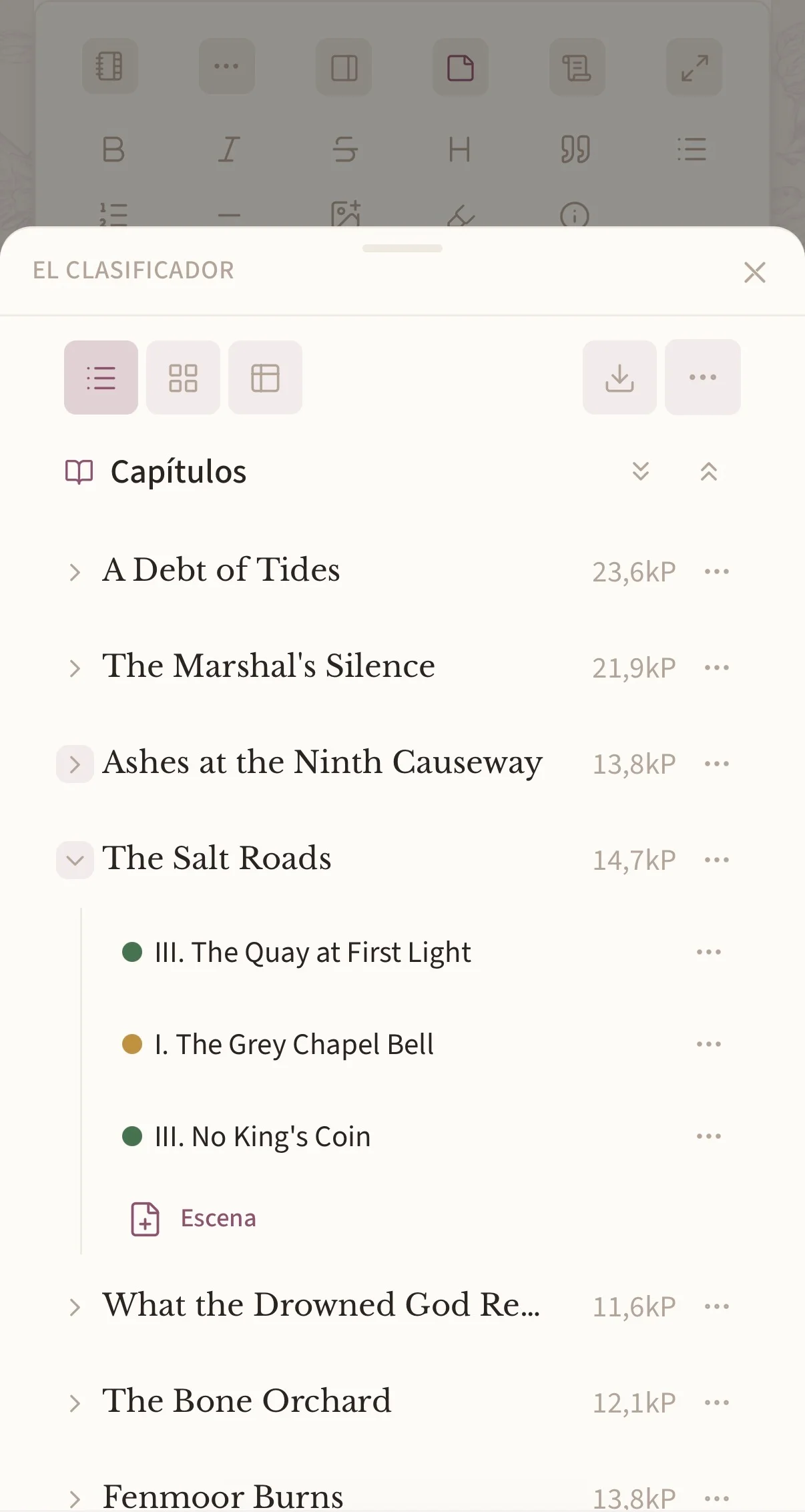
Let’s be honest: nobody writes a novel with their thumbs. But opening it anywhere, at any moment — rereading a scene in a queue, fixing a name on the bus, catching an idea before it goes — that changes everything. Same account, nothing to install, nothing to sync.

Writing, in a queue.
Your paper, your pattern — on the phone too.
Marking a passage with your thumb.
The whole book, in a drawer.
Your writing days, wherever you are.
Your world — and its cards move.
Your subplots, chapter by chapter.
Change the room in three taps.
And your public page, as readers see it.

A world you carry in your head always ends up spilling over.

The Codex is there to hold it.

06 · The Codex

One tab, instead of three subscriptions.

Characters and places. What ties them together. The subplots, and a grid to plot them on. It lives with the manuscript — and it’s shared across every volume of a series.

Entries with aliases — the workshop recognises “the baker” tooA relationship map you arrange yourselfThreads across chapters, and the scenes you haven’t written yet

Elsewhere: the manuscript in one app, the timeline in a second, the world bible in a third — and a folder somewhere trying to keep all three in step.

⋮⋮enemies... or almost⋮⋮bound for life⋮⋮the ritual that bound them⋮⋮fallen heir

Cards AND labels move — grab one.

Entries, threads, and the whole plan.

The same three views as in the workshop, exactly as they look there — entry cards, threads across the chapters, and the grid where you plan a scene before writing it.

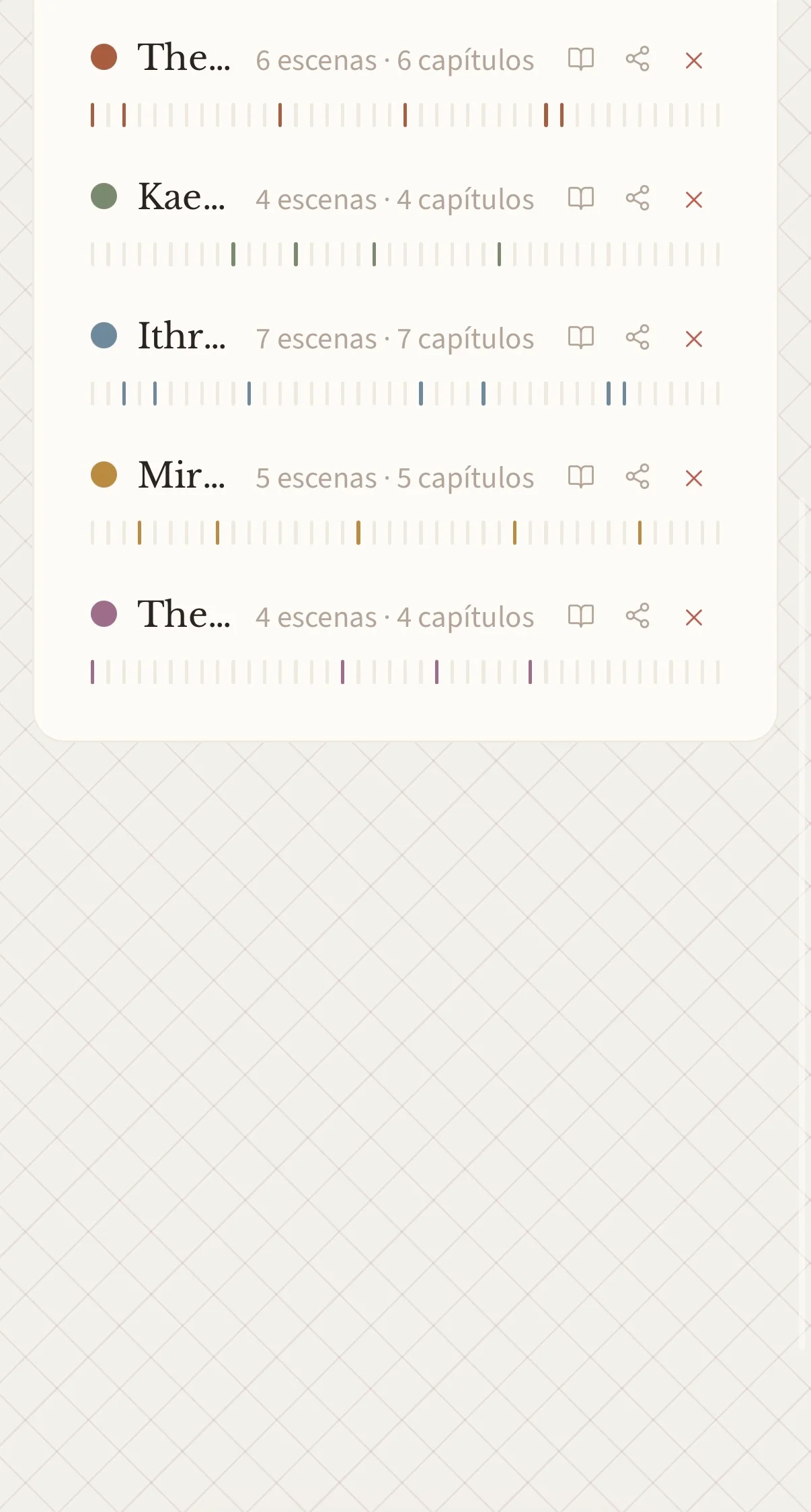
One square = one chapter of the book, in order. Coloured where the thread runs.

The Marshal’s War6 scenes · 6 chapters
Kaeth’s Smuggling Ring4 scenes · 4 chapters
Ithren Wakes7 scenes · 7 chapters
Mira’s Ledger5 scenes · 5 chapters
The Ninth Causeway4 scenes · 4 chapters

07 · Yours

Two writers, same tool, two different rooms.

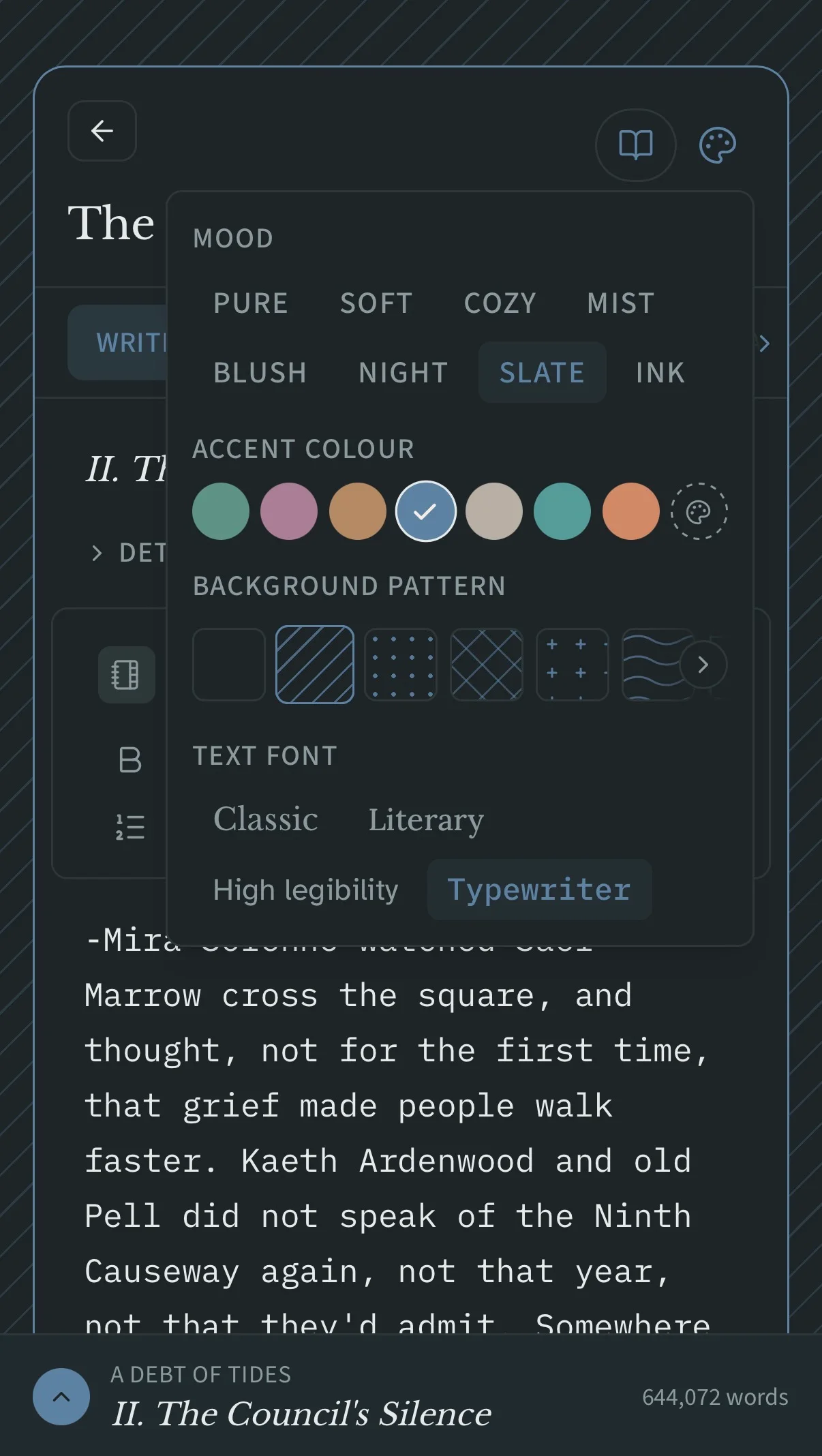
A first cozy romance doesn’t want the same room as a fourth cold thriller. Nine papers, seven accents, fourteen patterns — florals, a western, crosses, dots — and it recolours the whole workshop, not one card. Try it here:

Mood

Accent colour

Background pattern

Text font

Nobody shows off a folder of .docx files. People do show off a room they made theirs.

Chapter 4

The shutter

Wren pulled the shutter down before the light had properly gone. Ferry Street held its breath — six windows, one of them dark for the third winter running.

Draft312 wordsSaved

#ShowMeYourFoundry

Chapter 22

What the dark keeps

Nox unfurled a torn wing with a crack like contained thunder, and something turned over in her chest.

Draft1 840 wordsSaved
Night paper, savanna pattern, plum.
Chapter 4

The bakery at six

The oven had been warm since four, and the street outside had not yet decided to be awake.

Draft920 wordsSaved
Blush paper, peonies, plum.

08 · Yours to keep

Nothing you write can be taken from you.

It saves itself, even offline

No save button, ever. Lose the network mid-sentence and you keep writing — a book you’ve opened once even reopens without a connection.

A version you name is kept forever

The end of the first draft, the version before the big cut. Name it and it never expires — and you can compare it word by word with today’s.

You can walk out with everything

EPUB, PDF, submission format, plain text — and a full JSON backup with your images inside it, readable even if this account disappeared tomorrow.

No AI is trained on your manuscript

Not now, not quietly later. It’s written into the terms, and it can’t change without asking you first, separately.

09 · Honestly

A workshop, not a cockpit.

If you have ever closed a writing app because it wanted to be configured before it would let you write a sentence — this is the part that matters.

What you won’t find elsewhere

  • A reference panel that fills itself as you write
  • “Already written” — the exact sentence, from chapter two
  • One story bible shared across a whole series
  • A co-author in the same book, live
  • Publishing and selling, built in and optional

What we deliberately don’t do

  • Screenplay mode, or academic footnotes
  • A compile screen with forty options
  • A desktop app that syncs through a shared folder
  • An assistant that writes in your place

Four missing features you would never have opened. That’s the trade, and we’d make it again.

10 · When it’s finished

Your own page. Your price. Paid to you.

Finish a book and it can go on sale from an author page you compose yourself, money landing in your account. Entirely optional — most people come here only to write, and that’s a complete way to use it.

Start

Create your account. Try everything.

It’s free — and whoever arrives now finds rather a good surprise on the way in. No card, nothing to install: we’d rather have your first chapter than your card number.

Open the workshop

Our commitments on your textPricing

Everything, line by line

Every feature, and what it gives you.

The long version, for the ones who read everything before deciding. Every line below is already in the workshop, today.

Writing

Live renderingYou see your book, not code. Bold is bold while you type.
AutosaveYou never think about it. No Ctrl+S, no “I lost my page”.
Offline draftYour text is kept before the send is even attempted — a dropped network can’t eat a sentence.
Formatting barNo syntax to memorise: you click, like in Word.
Automatic typographyYour quotes and dashes are right in your book’s language, even with a French interface.
Text sizeFive steps, from small to large. Reading comfort is not a detail when you spend hours in there — and it is what someone with low vision needs first.
Formatting shortcutsCtrl+B, Ctrl+I: bold and italic without leaving the keyboard, and without a single Markdown sign to remember.
Continuous viewReread a whole chapter as one text — your scenes stay filed away backstage.
Continuous view by threadReread one subplot on its own: does the love story hold up? Nobody else offers this.
Split a sceneA scene that grew too long splits with a shortcut, no copy-paste.
Full-screen modeEverything disappears except your text.
HighlightsMark “needs work” without littering your prose with notes in brackets.
Scene templatesA ready structure for when you don’t know where to start.
Version historyCut boldly: the previous version comes back in one click. That’s what unlocks a real revision.
Kept versionsName a state — “end of first draft” — that nothing will ever erase.
Compare versionsYou see exactly what changed between two states, word by word.
SpellcheckIn your language, with no autocorrect “fixing” your invented names.
Read modeRead your book the way your readers will — the moment of truth before publishing.

Checking your text

A checker of our ownIt runs in the language of your manuscript, and the words you keep are kept — on this book, or on all of yours.
It knows your charactersA name in your Codex stops being underlined the day its entry exists. And a near miss is caught: “did you mean Léonie?”
Rules that explain themselvesNot just a red line — the reason, in your language. You can disagree knowingly, and silence any rule for good.
Consistency across the bookTwo spellings of the same thing, counted across every chapter — then reviewed one occurrence at a time, in context.
Your style sheetThe decisions you make while writing become rules — and the checker holds you to your own, not to ours.
Nothing is rewrittenIt underlines, you decide. Invented names, deliberate spellings and a voice of your own survive intact.

The binder

Chapters and scenesA clear structure instead of a 300-page document you get lost in.
Three viewsList to navigate, cards to rethink the order, table to see everything at once.
Drag and dropReorder with the mouse, the finger or the keyboard — across chapters too.
Full-text search“Where did I mention the silver brooch?” — found in two seconds, excerpt included.
Find and replaceRename a character across the whole book, with a confirmation first.
Tags and filtersSort the way you think — POV, place, to cut — with no imposed folder tree.
CollectionsThat filter, kept under a name and reopened in a click. It fills itself, and follows you across devices.
Summary and statusYou see where your book stands without reopening a thing.
Move between booksA scene can move to another chapter — or another book, when the idea belongs to volume two.
Words per chapterSpot your lopsided chapter before your readers feel it.

The reference panel

“In this scene”The entries for the characters present appear on their own. Elsewhere you’d pin them by hand, every scene.
“Already written”“Her eyes — green or grey?” The exact sentence and where it is. Consistency without rereading 200 pages.
“Between them”The relationship shows up when both are present. The right tone, at the right moment.
Add a detailNote “limps on the left leg” without leaving the sentence you’re writing.
Relationship mapYour cast at a glance — and it never twitches while you write.
Split viewKeep another scene in sight: what happened in chapter 3 while you write chapter 12.
Fix the scene on the rightA typo spotted while rereading is repaired on the spot — no leaving the sentence you were writing, which is the moment you decide to do it later and never do.
A panel you resizePull its edge to give it the room a long entry needs, or hand the room back to your text. The width is remembered.
One column at a timeYour text always keeps the same width. No reflow, no lost bearings.

The Codex

EntriesYour world is written down somewhere — no longer in your head or ten Word files.
Aliases“The Count”, “Aldric”, “his father” point to one entry: the automatic spotting keeps up.
Relationships and mapYou see who betrays whom, and spot the characters you had forgotten.
ThreadsEvery subplot has its colour and its scenes.
Thread gridYou see that a plot vanishes for six chapters. Your pacing diagnosis, for free.
Planned scenesPlot a thread before writing it: structure first, prose after.
Codex shared across a seriesVolume two inherits volume one’s world, with nothing recopied.

Your book as an object

Free front matterDedication, epigraph, copyright, image: your book looks like a book, not a raw export.
Copyright templateYour legal page is ready, without hunting for the wording.
Manuscript languageOne setting drives your quotes, your dashes and your dictionary.
Drop capThe typographic detail that makes it look edited.
Cover and back coverAnd an elegant fallback pattern until you have artwork — never a grey hole on your book.

Research and inspiration

Reference materialYour scouting, maps and photos live inside your book, not in a lost folder on your desktop.
Emotion wheel72 shades with body cues and prompts: your cure for “he was sad”. The nuance comes from you, not from a paragraph written in your place.
The HearthA hundred cards to draw from when the page stays blank. You get unstuck without having to lean on an AI.

Momentum

Word goalsA number to aim at: your project stops floating.
Writing calendarYour chain of days, the one you don’t want to break — counted without you entering anything.
Projected finish date“At this pace, you finish on 14 March.” A concrete answer to “will I get there?”

A room of your own

Eight papersWrite at 11 pm without burning your eyes, in a place that looks like you.
Accent colour and typefaceYour workshop, not a generic piece of software.
Fourteen background patternsThe pleasure of opening the app — you come back to a place you like.
Sticky NotesYour notes, but inside the book: your ideas stop dying on a lost scrap of paper.

Writing together

Invite a co-authorWrite as a pair, or have someone read, without exchanging files.
Live presenceYou know who is in the book right now: nobody overwrites you.
Safety netA full snapshot is taken before any shared deletion. Nobody can destroy your work by accident.
Beta reader linkShare a read-only link — and your reader doesn’t even need an account.
Notes with repliesYour co-author answers beside the text, not in a separate email.

In, out, and yours

Word / .txt importArrive with your existing manuscript — and review the split before anything is saved.
EPUB exportA real ebook, cover thumbnail included in Apple Books.
Submission formatTimes 12, double-spaced, 1″ margins: exactly what agents expect. You submit without reformatting a line.
Custom renderingYour export doesn’t look like everyone else’s.
Full .json backupYour whole book, Codex and files embedded — readable even if your account vanished.

Being seen

Excerpt posterA sentence from your own book becomes an image ready to post — no design software, and nothing to learn.
Compositions, not a templateFourteen composition families and nine moods: two authors never walk away with the same image.
Already the right sizeSquare, story, link, Pinterest — the image comes out in the shape the platform expects, with nothing to crop.
Nothing on it names usNo logo, no address, no brand colour. What circulates is your book, not our shop window.

Publishing — if you want to

Public author pageA storefront in your name, with no website to build.
Your colours, freely chosenTop background, bottom background and accent are yours — and a contrast guard keeps the page readable on any colour you pick.
Your links, linktree-styleFull-width buttons for the links you name, pills for your networks, reorderable — eighteen kinds of link recognised.
Your own section headingsYou write what your page says above your books, instead of a heading written for you.
Your storefront at a glancePage views, book sheets opened, excerpts read, sales received, people waiting for each book — plus a QR code to print. Views, never visitors: no cookie, no identifier.
Direct sellingYou sell and get paid on your own account. No editorial middleman.
Edition frozen at purchaseBuyers keep the version they bought while you go on reworking the living manuscript.
“Notify me” listGather your readers before publication, and trigger the announcement yourself.
Reader for your buyersYour readers read online, cleanly, with no file to download.
Delivered as ePubThe moment they pay, the ePub arrives by email — no account needed. Every reading app opens it.

Trust

No AI trained on your textYour manuscript feeds no model. It’s written, committed, and shown in three places.
Trial, content never deletedTry without risk — even expired, your text stays there and stays retrievable.
Installable, works offlineYour book opens on your phone, even with no network.
Help built inYour answer is in the app, in three languages — not in a support queue.

You’ve read it all. The rest is your first chapter.

Create your account